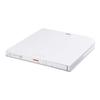
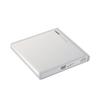
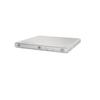
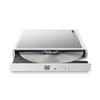
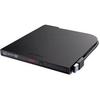
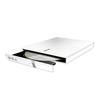
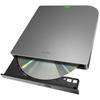
Das Omoidebako und das Omodora DVD-Laufwerk sind exklusive Omoidebako-Optionen.. Schließen Sie sie einfach an Ihr Omoidebako an, um Fotos und Videos von DVDs und CDs zu konsolidieren, sodass Sie Fotos mit Familie und Freunden genießen können.
[Fotos und Videos von DVDs und CDs zusammenführen]
- Durch die Verbindung von Omodora mit Ihrem Omoidebako können Sie Fotos und Videos von DVDs und CDs importieren, die nicht direkt in den Omoidebako importiert werden konnten, ohne dass ein Computer benötigt wird.
[Unterstützt DVD-Video-Medien]
- Unterstützt den Import von DVD-Videos für DVD-Player. Sie können komplette Medien im DVD-Video-Format mit Omodora in Omoidebako importieren.
*Dies gilt nur für Medien, die nicht urheberrechtlich geschützt sind. DVDs, die im AVCHD-Format aufgenommen wurden, werden nicht unterstützt.
[Fotos und Videos automatisch organisieren]
Ihre gesammelten Fotos und Videos werden automatisch in einem Kalender organisiert.. Für DVD-Videos können Sie die gesamte DVD als Videodaten importieren. Sie können das Aufnahmedatum und die Uhrzeit einfach auf jedes beliebige Datum ändern.
[Kompatibel mit wichtigen Digitalisierungsdiensten]
- Wir haben die Kompatibilität mit Omoidebako bestätigt, selbst für alte Videokassetten und nostalgische Alben, von DVDs und CDs, die mit großen Digitalisierungsdiensten wie Fujicolor Remake Service erstellt wurden. (Fujifilm), Omoide Rettung (Kitamura Kamera), und Nandemo Synchronisation (Palette Plaza).
Fotos und Videos direkt von DVDs und CDs in Omoidebako importieren. Dediziertes optionales DVD-Laufwerk "Omodora"
Importieren Sie Fotos und Videos, die auf DVDs gespeichert sind, welche in Regalen zu Hause stehen, direkt in Omoidebako, ohne dass ein Computer benötigt wird.
Verbinden Sie Omodora einfach mit dem Omoidebako Hauptgerät über das mitgelieferte USB-Kabel, legen Sie eine DVD oder Disc ein und drücken Sie die Import-Taste.. Der Import ist automatisch.
Neben dem Import von Daten von PC-DVDs/CDs unterstützt Omoidebako auch den Import von Medien im DVD-Video-Format.. Dies gilt nur für Medien, die nicht urheberrechtlich geschützt sind.. DVDs, die im AVCHD-Format aufgenommen wurden, werden nicht unterstützt.
Kein Computer erforderlich. Es ist einfach zu bedienen und zu organisieren, sodass selbst wenn Sie nicht gut darin sind, einen Computer zu bedienen oder Fotos zu organisieren, Sie es mit Zuversicht verwenden können.
![Buffalo PD-OMDR1 USB Omoidebako DVD-Laufwerk (Optional Omoidera) [Importiert Fotos und Videos direkt von DVDs und CDs ohne Computer]](https://img.joomcdn.net/55e2acb9abf151628d323e4221774f16c814fb9b_1024_1024.jpeg)
![Buffalo PD-OMDR1 USB Omoidebako DVD-Laufwerk (Optional Omoidera) [Importiert Fotos und Videos direkt von DVDs und CDs ohne Computer]](https://img.joomcdn.net/422cfee6d410edef5322720e84b5ba1959a74050_original.jpeg)
![Buffalo PD-OMDR1 USB Omoidebako DVD-Laufwerk (Optional Omoidera) [Importiert Fotos und Videos direkt von DVDs und CDs ohne Computer]](https://img.joomcdn.net/c5ad412cf90fbc06cff5a1e49a5f2c8691d5e12c_original.jpeg)
![Buffalo PD-OMDR1 USB Omoidebako DVD-Laufwerk (Optional Omoidera) [Importiert Fotos und Videos direkt von DVDs und CDs ohne Computer]](https://img.joomcdn.net/d86d21fce4b2570b820dae6b15aa7585ebf42723_original.jpeg)
![Buffalo PD-OMDR1 USB Omoidebako DVD-Laufwerk (Optional Omoidera) [Importiert Fotos und Videos direkt von DVDs und CDs ohne Computer]](https://img.joomcdn.net/e7e9ee839227f24bd4ac403765f44ec745a55c73_original.jpeg)
![Buffalo PD-OMDR1 USB Omoidebako DVD-Laufwerk (Optional Omoidera) [Importiert Fotos und Videos direkt von DVDs und CDs ohne Computer]](https://img.joomcdn.net/29328939455848bc34dbbc0f194b841363339f65_original.jpeg)
![Buffalo PD-OMDR1 USB Omoidebako DVD-Laufwerk (Optional Omoidera) [Importiert Fotos und Videos direkt von DVDs und CDs ohne Computer]](https://img.joomcdn.net/0b787ea56a061389c3c9699cd2baa3c477311991_original.jpeg)


 Rückerstattung bei Nichtlieferung