----------------------------------------------------------------------
【Voltage Compatibility】
When using electrical appliances, please note that they are designed for Japanese voltage specifications (90-110V), so if you use them with a different voltage, it may cause a malfunction.
【Plug Type】
Our products use Japanese plug types (A or B type).
Please use a conversion adapter if necessary.
【Important Note on Transformers and Adapters】
A transformer adjusts voltage to match your device’s requirements.
A conversion adapter only changes the plug shape and does not adjust voltage.
Using only a conversion adapter without a transformer may result in damage to the product.
【Liability】
We are not responsible for malfunctions or damages caused by improper use, such as operating the product without a transformer.
----------------------------------------------------------------------
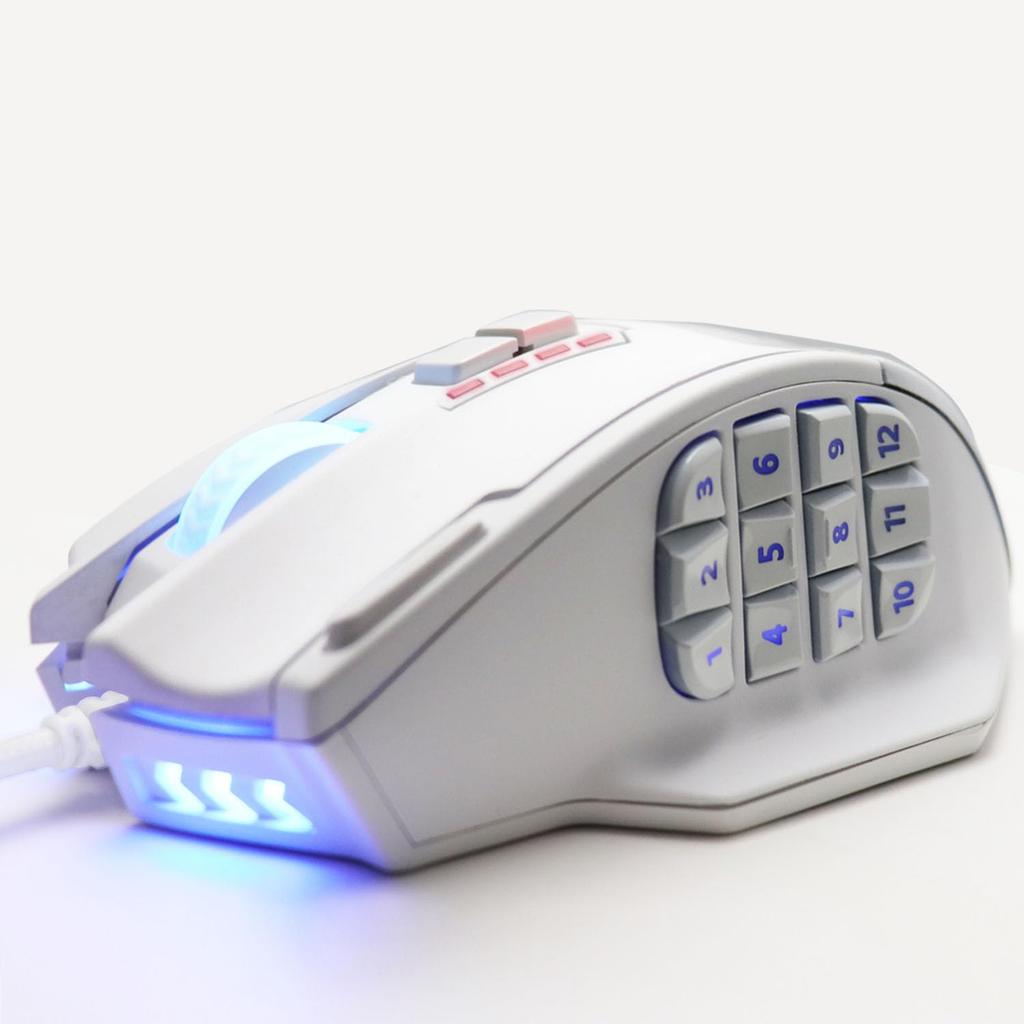
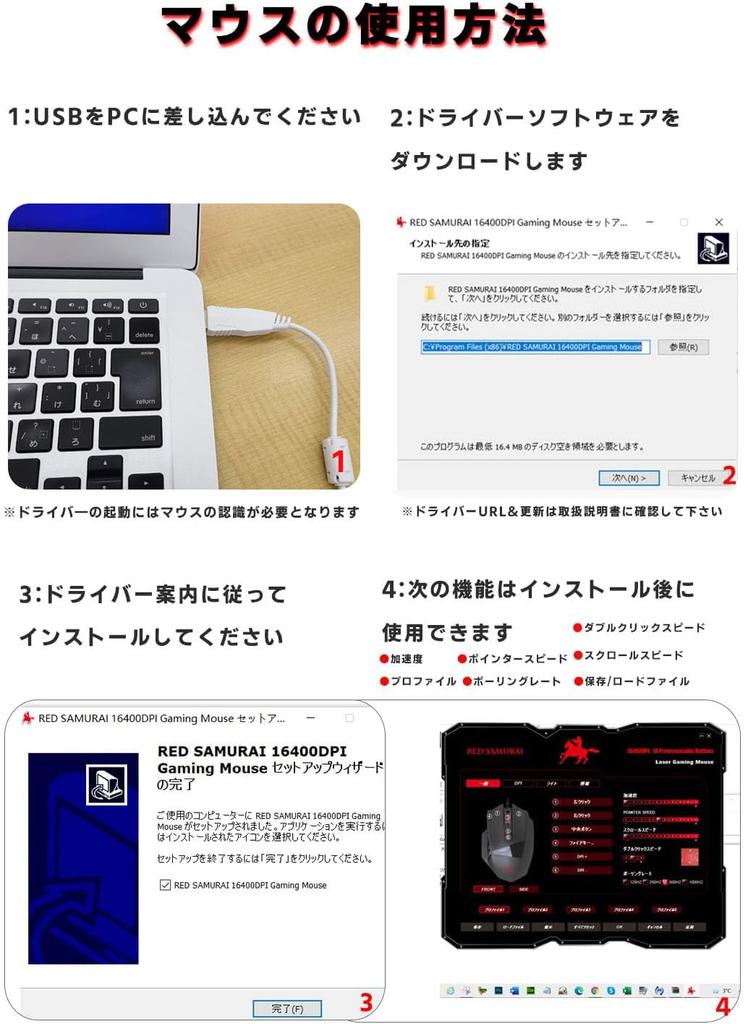
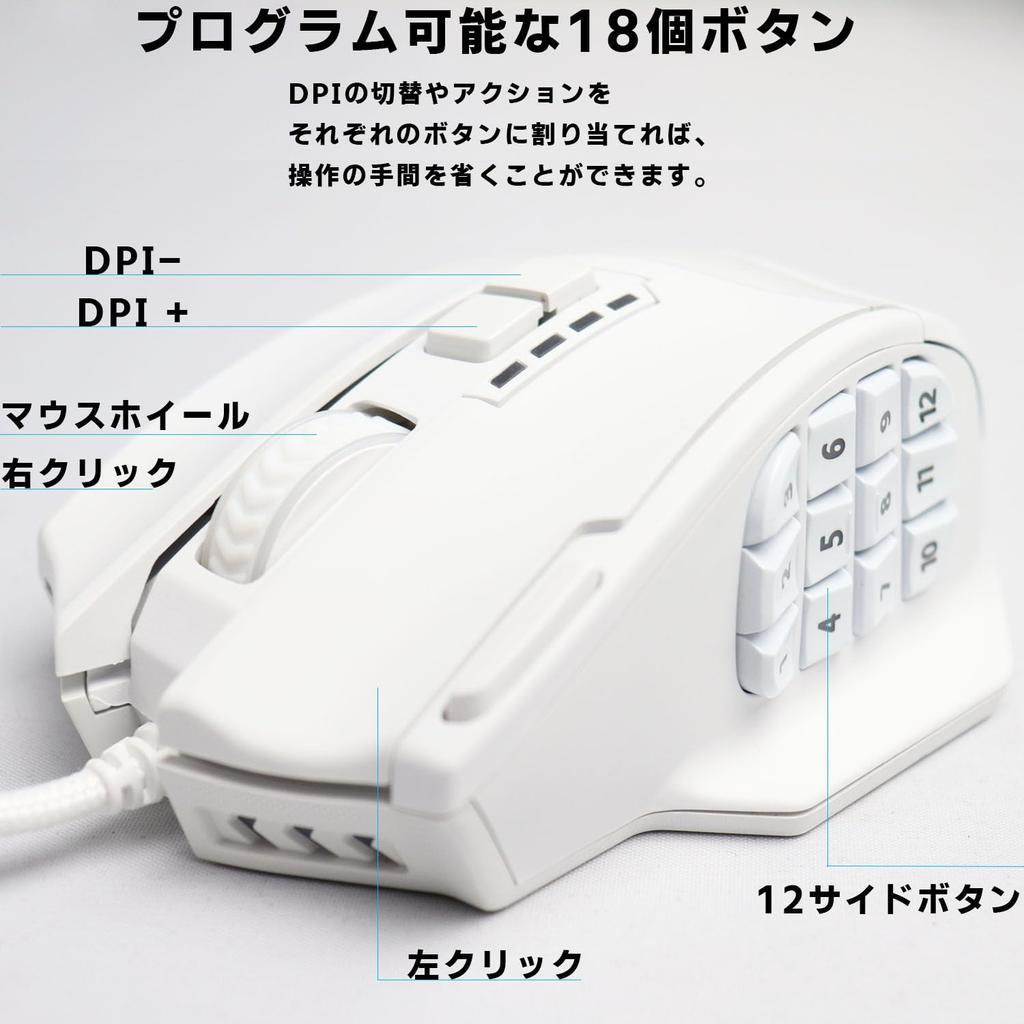
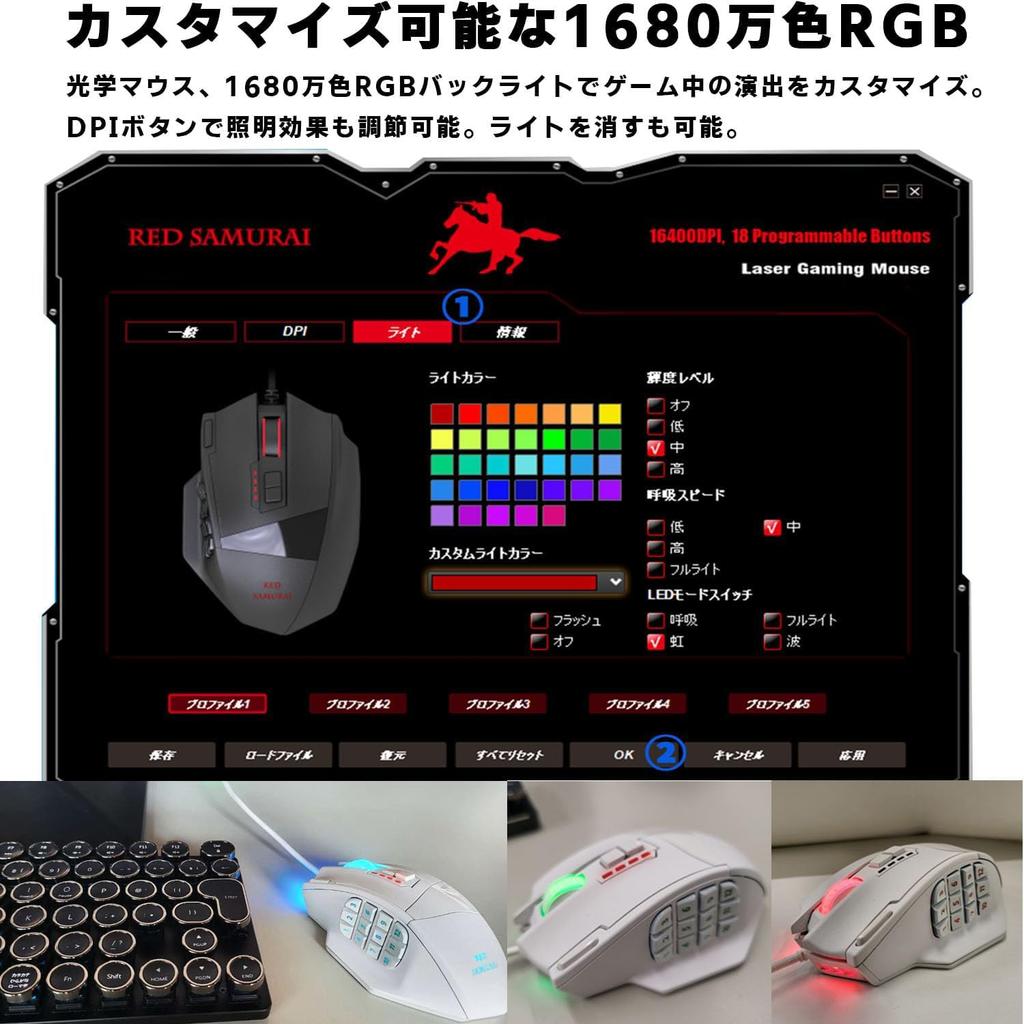
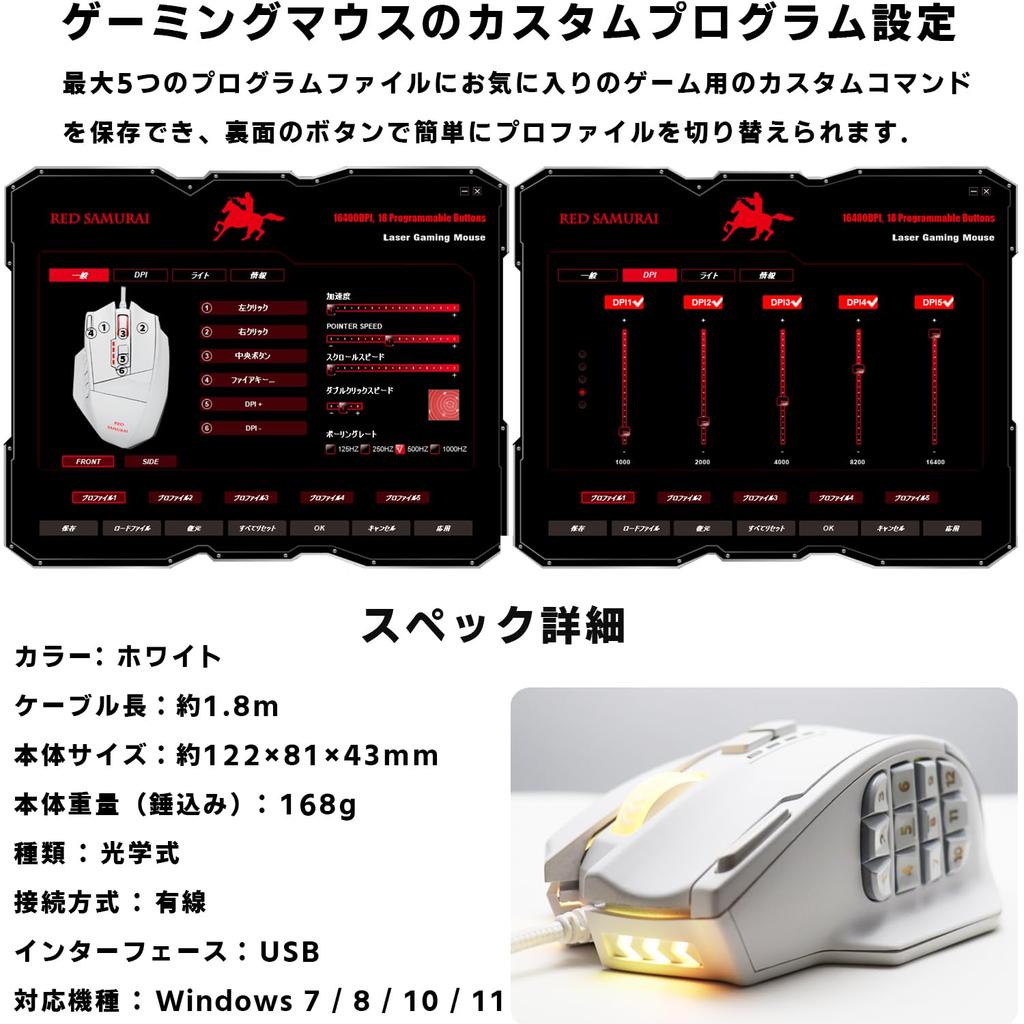
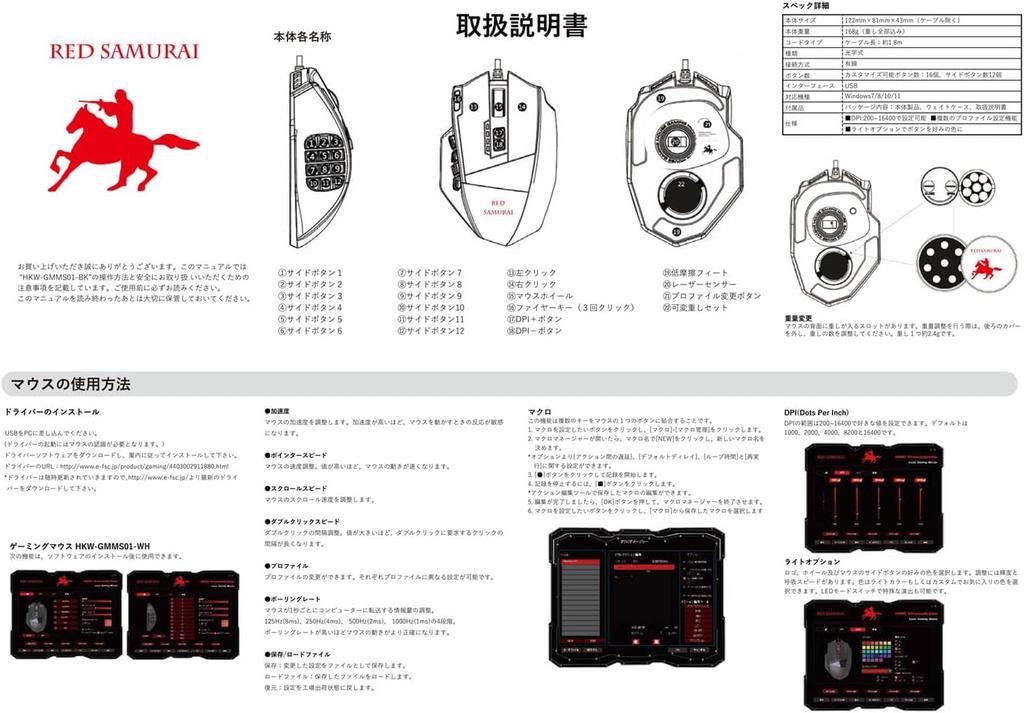
[RED SAMURAI Wired Gaming Mouse] The default DPI is 1000. Other options include 2000, 4000, 8200, and 16400, each adjustable from 50-16400. It features a high-precision tracking optical sensor with a maximum 16,400 dpi (LEDs are set to a lower level than normal), and a default 1000 Hz polling rate. After installing the software, you can adjust the polling rate, load and save profiles, adjust double-click speed, scroll speed, acceleration, and pointer speed. The customizable colorful backlight makes this a great entry-level gaming mouse for beginners. [18 Programmable Buttons] All 18 buttons can be assigned to different keys. Select any key to customize your settings, or create your own macros using the macro editor.
[Please check before purchasing] ▼USB connection precautions If this product frequently loses connection, the following may be the cause: Poor or loose USB port on your PC Internal cable breakage due to prolonged use or wiring issues Insufficient power due to using a USB hub, or interference with other USB devices. *This may be resolved by plugging it directly into a USB hub or disconnecting other devices. ▼About the scroll button This product is designed for gaming use, and the scroll button has a slightly heavier switch structure to prevent malfunction. *Some products may have individual variations in feel due to manufacturing errors. ▼About button assignments and settings If functions such as the 9 button are not working properly, please check the following: Are the settings in the dedicated software saved and applied correctly? Are the additional buttons correctly recognized by the game or application? *Some games and software may not support the additional buttons.
[Profile Editing] Save the command settings that are perfect for your favorite games. You can save up to five profiles, and switch between profiles in the software or by pressing the button on the back of the unit.
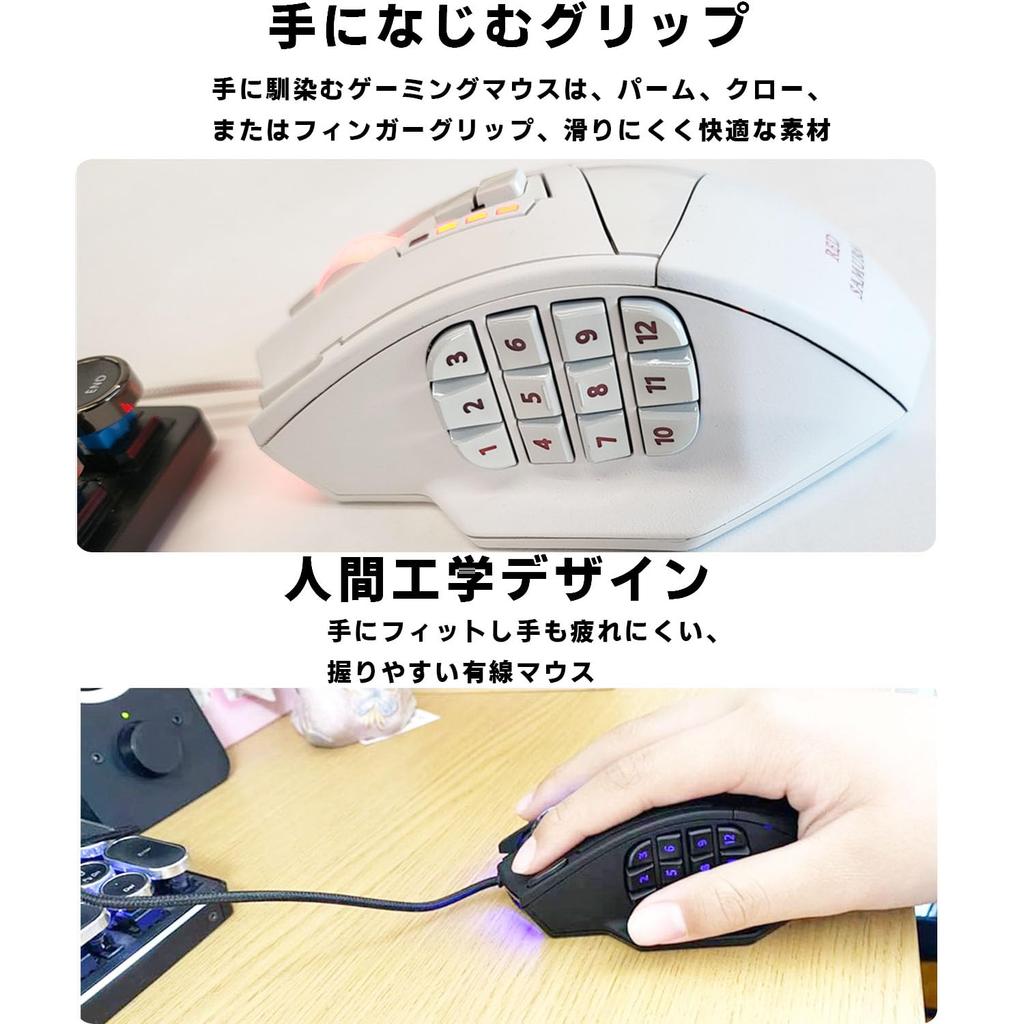
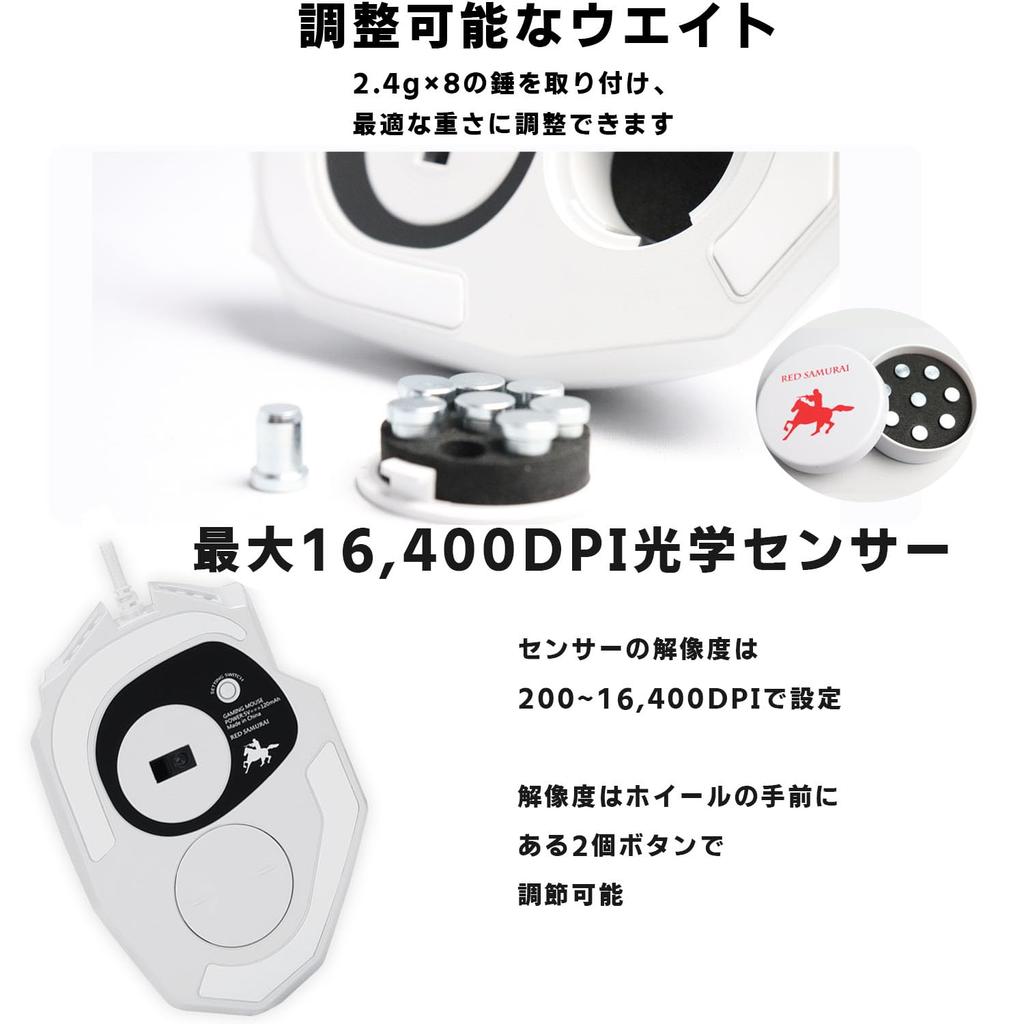
[Overhand Grip & Adjustable Weight] The comfortable grip fits naturally in your hand, providing a comfortable feel. The matte surface enhances grip and control over extended periods. The weight can be adjusted by attaching eight 2.4g weights. Adjust the weight to suit your game.
[Compatible Models and 6-Month Warranty] Compatible with Windows 7/8/10/11. We will replace or refund any defective products free of charge. Please feel free to contact us. Please contact us using the Amazon inquiry form. *Accessories: Main unit / Instruction manual
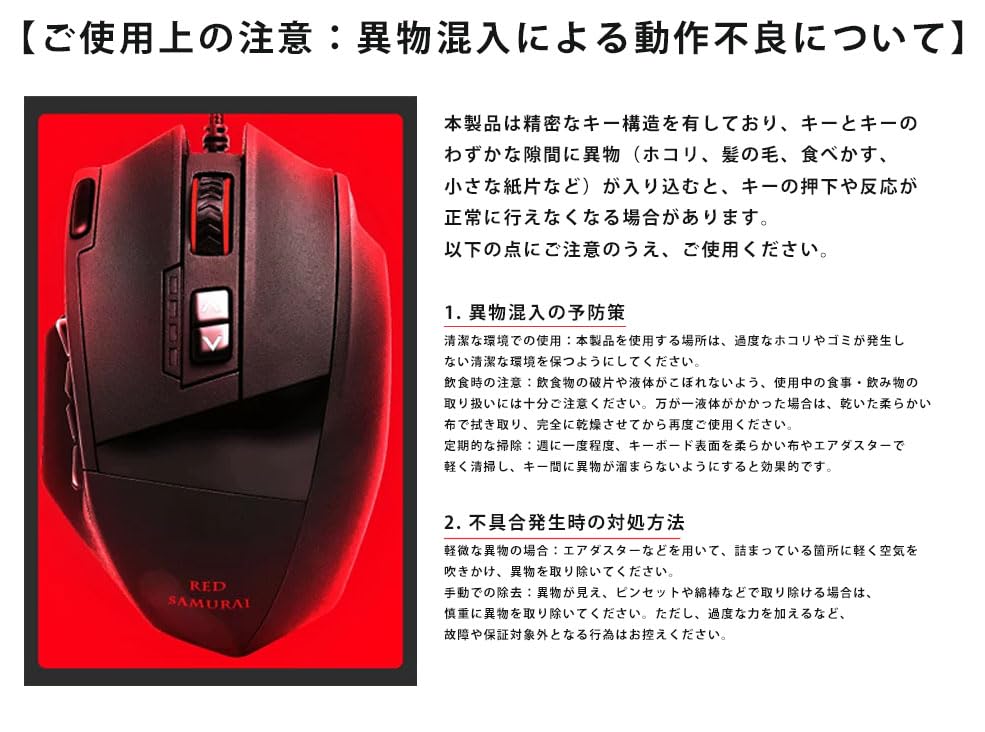
[Usage Precautions: Malfunctions due to Foreign Matter Contamination] This product has a precise key structure. If foreign matter (dust, hair, food debris, small pieces of paper, etc.) gets caught in the small gaps between the keys, the keys may not press or respond properly. Please take note of the following points when using the product. 1. Preventive Measures for Foreign Matter Contamination Use in a Clean Environment: Keep the environment where you use this product clean and free of excessive dust and debris. Precautions when Eating and Drinking: Take care when handling food and drinks while using the product to avoid food fragments or liquid spills. If liquid does get on the product, wipe it off with a dry, soft cloth and allow it to dry completely before using it again. Regular Cleaning: Lightly clean the keyboard surface with a soft cloth or compressed air approximately once a week to prevent foreign matter from accumulating between the keys.
2. What to do if a problem occurs: Minor foreign objects: Use an air duster or similar to gently blow air into the clogged area to remove the foreign object. Manual removal: If the foreign object is visible and can be removed with tweezers or a cotton swab, carefully remove it. However, please refrain from using excessive force or any other action that may cause a malfunction or void the warranty.
[Usage Precautions: Regarding damage and malfunction caused by dropping the mouse] A mouse is a precision instrument. Even if it appears sturdy, dropping it from a high place or receiving a strong impact can damage its internal components and cause it to malfunction. Please pay attention to the following points to ensure safe and comfortable use. 1. Precautions to prevent drops: Maintaining the operating environment: Ensure there is sufficient desk space and that the mouse cord does not get caught on surrounding objects. Proper cable management: Arrange the cable with sufficient slack and avoid excessive tension. Pulling on the cable can cause the mouse to fall off the desk. Storage Precautions: When not in use, place the mouse on a stable, flat surface or store it in a drawer or dedicated case, avoiding vibrations and shocks. Consideration for children and pets: Take care not to leave the mouse within reach of children or where pets can play, as it may be accidentally dropped.
2. What to do if a drop occurs Check operation: If the mouse is dropped, first gently lift it and visually check for any large cracks, distortions, or missing parts. Then connect it to your computer and check that it works properly. Decide whether to discontinue use: If operation is unstable or there is obvious damage to the exterior, discontinue use. Damaged parts may come into contact with your fingers or other parts of your body, causing injury.
The default DPI is 1000. Other options include 2000, 4000, 8200, and 16400, each adjustable from 50-16400. It features high-precision tracking, a maximum 16,400 dpi optical sensor (with weaker LED settings than normal), and a default 1000 Hz polling rate. After installing the software, you can adjust the polling rate, load and save profiles, adjust double-click speed, adjust scroll speed, adjust acceleration, and adjust pointer speed. With a customizable, colorful backlight, this is a recommended introductory gaming mouse for beginners.



 Rückerstattung bei Nichtlieferung