★★★ Product for Advanced Users ★★★
If you lack basic knowledge of computers, RC helicopters, planes, or drones, please make sure to secure someone who can provide accurate advice before purchasing.
Some product reviewers have reported issues with the product, but the main causes are listed below.
Please refer to the included Japanese installation guide for solutions.
● Access restrictions imposed by cloud syncing software such as OneDrive
● Antivirus software installation monitoring and communication restriction settings
● User Account Control (UAC) settings during installation
MALTA brand products are sold with retailer markings and check labels affixed after operation verification.
JAN: 4573176131602 is a MALTA brand FBA registered product.
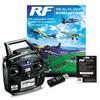
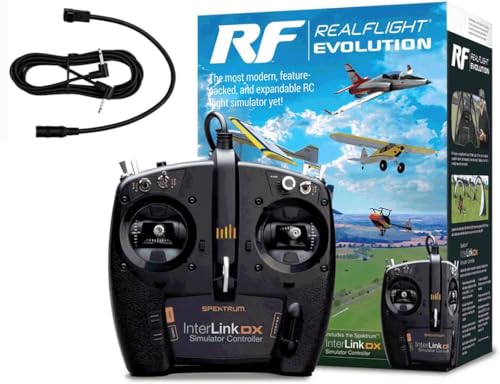
MALTA Real Flight Evolution Deluxe RC Flight Simulator with Transmitter-Type USB Controller and TX Connection Cable
RC Flight Simulator for Planes, Helicopters, and Drones.
Japanese installation guide included.
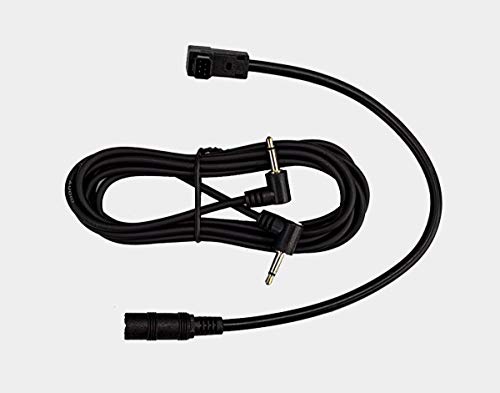
The Deluxe version includes connection cables for Futaba, JR, and Spectrum transmitters.
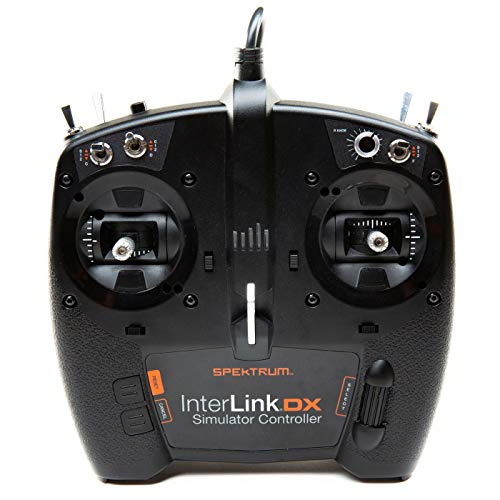
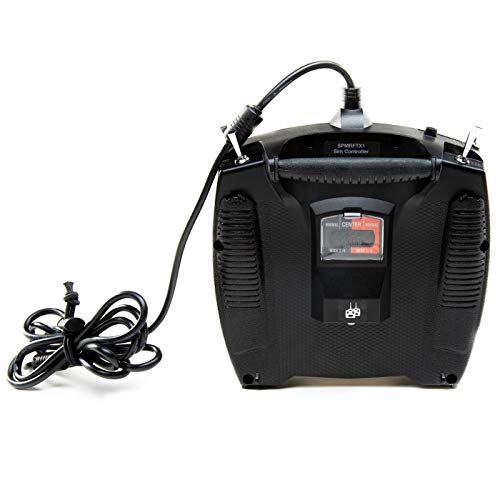
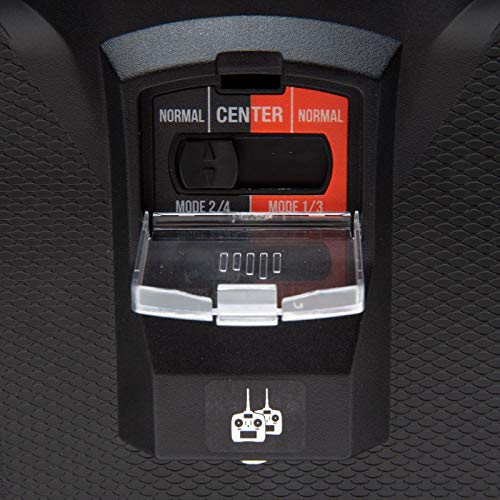
●The new USB controller InterLink DX can be switched between Mode 1, Mode 2, Mode 3, and Mode 4 using the mode switch on the back. (Due to the structure of the switching mechanism, there is some play near the center when full spring is selected.)
●The full spring version can also be switched using the mode switch on the back.
By default, the mode switch on the back of the controller is set to MODE2/4 NORMAL.
In MODE2/4 NORMAL, the left stick is the throttle, so it moves freely up and down.
If you want the left stick to move up and down in a fully spring state, where the spring returns to the center, you need to switch the switch on the back of the controller to either MODE2/4 or MODE1/3 (CENTER).
If you want Mode 1, which uses the right stick to move up and down as the throttle, you need to switch the switch on the back to MODE1/3 NORMAL.
If you don't understand the meaning of the above terminology, please search Google.
Product Contents
● Transmitter-type USB Controller (InterLink DX)
● Real Flight Evolution Serial Code
● Connection Cable for Futaba, JR, and Spectrum Transmitters
● English Instruction Manual (Included with Software)
● Japanese Installation Guide
Software and PC support is provided by the manufacturer.
www.realflight.com/
Japanese instruction manual not included.
English instruction manual is included with the installed software.
[Compatible PC Information]
★The system requirements are based on a Windows system with only Real Flight installed.
■System Requirements
●OS: Windows 11, 10
●CPU: Dual Core 2.4GHz or higher
●Main Memory: 2.0GB or higher
●GPU: Intel HD Graphics 4600 or higher
●GPU Memory: 1GB or more of video memory
●Free HDD Space: 10GB or more
●An internet connection is required for installation and license activation.
RC flight simulator for airplanes, helicopters, and drones.
Compatible with Windows 10 and 8. Comes with a Japanese installation guide.
Includes the new "InterLink DX" transmitter-type USB controller.
Deluxe specification includes connection cables for transmitters from Futaba, JR, and Spectrum.
Modes 1, 2, 3, and 4 can all be changed using the rear switch and software settings. Full spring specification can also be selected using the rear switch.


 Geld zurück bei Nichtlieferung